Self-hosted · Open source · MIT

Your tasks, finally
in one place.

Task Sync bridges Google Tasks and Microsoft To Do with field-level conflict resolution. Runs on your machine. Your data never leaves.

Google Tasks Microsoft To Do
2
Runtime deps
11
Sync fields
3
Sync modes
0
Data leaks
Google Tasks on the phone.
Microsoft To Do at work.
Same tasks. Two silos. Zero sync.

Tasks fall through the cracks

You add a task on your phone and forget to add it at work. Or vice versa. Things get missed.

🔒

Third-party services want your data

Cloud sync tools route your tasks through their servers. Your data becomes their product.

💥

Whole-task sync causes data loss

Simple sync tools overwrite entire tasks on conflict. Change the title here, lose the due date there.

Features

Built for people who care about their data

Every feature exists because something annoyed us about existing tools.

Field-level conflict resolution

Change the title in Google Tasks. Change the due date in Microsoft To Do. Both changes survive. Unlike task-level sync, every field is compared individually — last-write-wins per field, not per task. Conflicts logged for transparency.

🔍

Cold-start matching

First sync won't duplicate everything. Tasks are matched across providers by title + notes before creating anything new.

🛡

Self-hosted

Runs on your machine. Your OAuth tokens, your state files, your data. No cloud middleman. No telemetry.

🗑

Delete propagation

Tombstones ensure deleted tasks stay deleted across providers. 30-day TTL prevents ghost resurrections.

🎮

Two interfaces, one engine

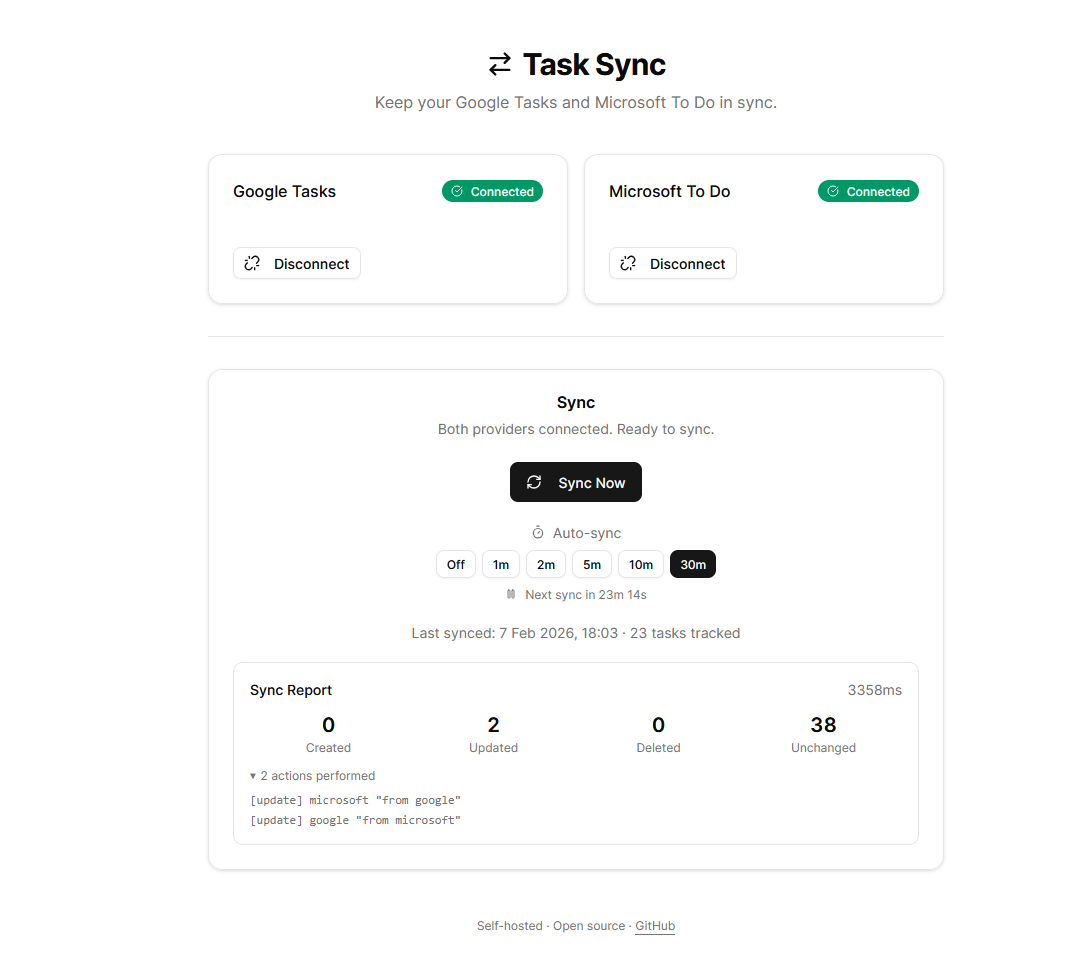
Use the Web UI for one-click OAuth and visual sync controls with auto-sync timers. Or use the CLI for cron jobs, scripts, and headless environments with JSON output. Same sync engine underneath.

Lean runtime

Only commander and zod at runtime. Tiny attack surface.

How It Works

The sync pipeline

Every sync run is an 11-step pipeline that ensures nothing gets lost.

1

Lock

Acquire file lock

2

Load

Read state & mappings

3

Prune

Expire old tombstones

4

Fetch

Pull tasks from APIs

5

Match

Cold-start deduplicate

6

Diff

Field-by-field compare

7

Resolve

Last-write-wins

8

Push

Fan out to providers

9

Save

Persist new state

CLI Web UI Sync Engine engine.ts Cold-start match Conflict resolution Delete propagation State versioning Google Tasks Tasks API v1 Microsoft To Do Graph API JSON State Store .task-sync/state.json
Get Started

Running in under a minute

Choose your interface. Same sync engine underneath.

Web UI
# Clone & install
$ git clone https://github.com/salaamdev/task-sync.git
$ cd task-sync && npm install
$ npm run web:install
 
# Configure OAuth credentials
$ cp .env.local.example .env.local
# Edit .env.local with your keys
 
# Launch
$ npm run web:dev
▸ Ready on http://localhost:3000
 
Connect providers → Sync Now → Done.
CLI
# Build
$ git clone https://github.com/salaamdev/task-sync.git
$ cd task-sync && npm install && npm run build
 
# Get OAuth tokens
$ npm run oauth:google
$ npm run oauth:microsoft
 
# Sync
$ node dist/cli.js doctor
✓ Config valid ✓ Google ✓ Microsoft
$ node dist/cli.js sync
✓ Synced 23 tasks (2 created, 1 updated)
 
# Auto-sync every 5 min
$ node dist/cli.js sync --poll 5
⏳ Next sync in 5:00
Web UI Dashboard Task Sync Web UI showing connected Google Tasks and Microsoft To Do with sync report
Sync Modes

Your data, your rules

Three modes for different workflows. Set once in your config.

Bidirectional

Changes flow both ways. Edit anywhere, sync everywhere.

default

A → B Only

One-way push. Provider A is the source, B receives updates.

one-way

Mirror

Provider A is truth. B becomes an exact replica. Additions, edits, deletes — all mirrored.

strict
Built With

Lean stack, zero bloat

Chosen for reliability, not resume padding.

TypeScript 5.9
Node.js 22+
Next.js 15
React 19
Tailwind CSS 4
shadcn/ui
Vitest
tsup
Zod
Commander.js
Stop the Juggle

One command. Both task lists. Always in sync.

Open source, self-hosted, and built to get out of your way. Star the repo if it's useful.